Top 10 AI Tools for Businesses in 2026
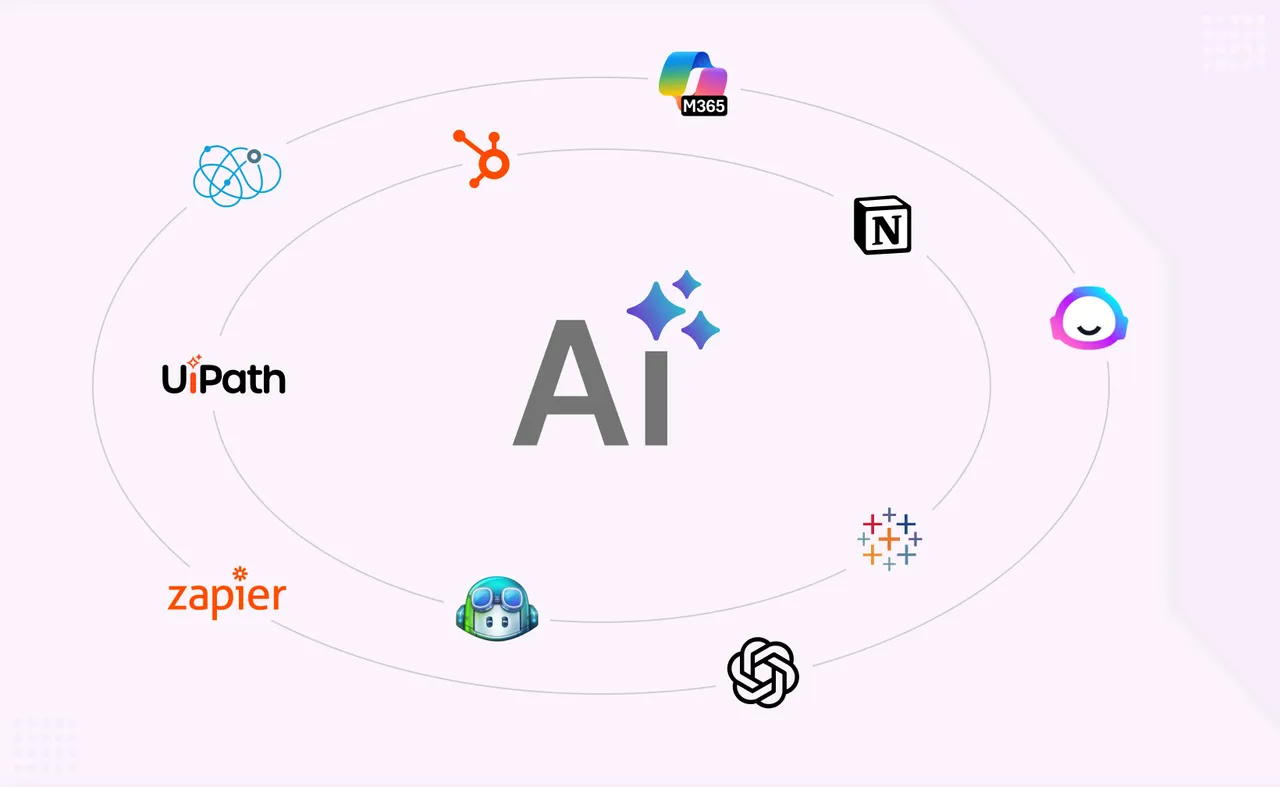
AI tools for business have moved well past the experimental phase. In 2026, they are embedded in daily operations across every department, from sales and marketing to finance and development. AI tools are focusing on deep data analysis and multi-modal assistants, and the shift is clear: businesses using ai tools report saving 10-20 hours weekly per employee. AI can streamline workflows and improve efficiency at a scale that wasn't feasible even two years ago.
This guide covers the top ai tools that deliver measurable value right now. We selected these 10 based on real-world business impact, not hype. The list spans ai productivity tools, automation platforms, content creation tools, analytics solutions, and development aids, so you can find the right tools regardless of your department or company size.
Knowing which AI tools exist is the easy part. Knowing how to integrate them into your business without disrupting what already works is where most companies get stuck.
How We Chose the Best AI Tools for Business
Finding the best ai tools means looking beyond feature lists. Here are the criteria we used to evaluate each tool:
Business value and ROI potential. AI tools should improve productivity by eliminating repetitive tasks and delivering clear cost savings or revenue growth.
Ease of implementation and user adoption. Tools that non technical users can pick up quickly rank higher. Adoption matters more than capability.
Integration with existing systems. Effective ai tools are tailored tech stacks across core operations. If a tool doesn't connect to what you already use, it creates more problems than it solves.
Scalability. Whether you're a five-person startup or a 10,000-seat enterprise, the tool needs to grow with you.
Security and compliance. Data security, encryption, audit logs, and regulatory compliance are non-negotiable, especially in regulated industries.
Cost-effectiveness. Transparent pricing and predictable costs prevent budget surprises.
AI tools are shifting from simple automation to agentic AI, and the most modern ai tools now handle autonomous multi-step workflows. We weighted tools that reflect this shift.
Top 10 AI Tools for Businesses in 2026
1. Microsoft Copilot for Business
Microsoft Copilot is an ai assistant deeply integrated into the Microsoft 365 ecosystem. It operates inside Word, Excel, PowerPoint, Outlook, and Teams, pulling context from your email, files, calendar, and company data through Microsoft Graph. Microsoft Copilot automates workflows within Microsoft 365 apps, turning what used to be time consuming tasks into one-click operations.
In March 2026, Microsoft launched the Frontier Suite, bundling Copilot, Agent 365, and enterprise security at $99/month per user.
Why It Stands Out
The deep integration advantage is hard to overstate. Copilot doesn't sit alongside your tools; it lives inside them. It supports model diversity, drawing from both OpenAI and Anthropic ai models, and its agent-creation tools (Researcher, Analyst, Facilitator) enable multi-step automated workflows. Power BI with Copilot simplifies complex tasks and delivers valuable insights directly within your analytics environment.
Best For
Medium to large businesses already invested in the Microsoft ecosystem. Paid seats for Copilot grew over 160% year-over-year, with deployments exceeding 35,000 seats per customer tripling in the same period.
Key Strengths
Seamless integration across all Office apps and Microsoft Graph
Advanced data analysis, automation, and agent capabilities
Enterprise security and compliance baked in (Defender, Intune, Purview)
Possible Limitations
Higher cost for small businesses; the E7 suite is premium-priced
Requires a Microsoft 365 subscription to unlock full value
Licensing complexity can create confusion for mixed environments
2. ChatGPT Enterprise
ChatGPT Enterprise from OpenAI is a business-focused conversational ai assistant built on GPT-4o and GPT-5, offering extended context windows up to 128,000 tokens, enterprise-grade security, and custom GPT creation. It supports both standard and Codex seats for code and data work.
Why It Stands Out
Advanced natural language processing and reasoning set this apart from most ai tools. Custom GPTs let teams build specialized assistants for any department without writing code. Perplexity serves as a research assistant providing verifiable citations, but ChatGPT Enterprise bundles research, writing, analysis, and workflow automation into one platform. Over 1 million business customers are now paying for the platform, and more than 25% of U.S. workers report using ChatGPT at work.
Best For
Businesses needing a versatile ai assistant that works across multiple departments, from R&D to customer support to content creation. It's a swiss army knife for knowledge work.
Key Strengths
Advanced natural language processing with long context windows
Custom model training and GPT creation for specialized tasks
API integration options and enterprise admin controls (SSO, SCIM, analytics)
Possible Limitations
Data privacy considerations in highly regulated industries may require extra configuration
Subscription costs can add up with heavy usage, long context, and Codex workloads
3. Salesforce Einstein AI
Salesforce Einstein AI brings predictive analytics, autonomous ai agents, and intelligent automation directly into customer relationship management workflows. Combined with Salesforce's Agentforce and Data Cloud, it transforms raw data into actionable insights for sales, service, and marketing teams.
Why It Stands Out
Native CRM intelligence means Einstein doesn't just analyze data in isolation. It works within the flow of sales and service operations, scoring leads, forecasting revenue, and predicting customer behavior. Businesses are using AI to accelerate sales cycles and improve operational efficiency, and Einstein delivers this directly inside the CRM. Advanced ai tools can analyze trends and optimize listings for e-commerce, and Einstein handles this within the Salesforce ecosystem. AI tools are important for generating tailored sales communications, and Einstein automates personalized outreach based on customer data patterns.
Data enrichment tools can reduce manual research time significantly. Tools like Clay enrich lead data using AI for sales teams and automate data workflows for faster lead personalization. Clay uses waterfall enrichment logic for reliable data sourcing, and AI tools can provide deeper lead context for outbound teams. These complement Einstein when building outbound pipelines.
Best For
Sales teams, customer service organizations, and businesses that already run on Salesforce. It tracks sales trends, predicts deal outcomes, and segments customers automatically.
Key Strengths
Native CRM integration and automation across the customer lifecycle
Predictive lead scoring and customer behavior analysis
Real time data insights powered by Data Cloud
Possible Limitations
Requires the Salesforce ecosystem to function
Complex setup for smaller teams with limited admin resources
4. Zapier AI Automation
Zapier AI is a workflow automation platform that connects thousands of business apps without requiring any coding. It's the go-to for turning disconnected tools into intelligent systems through ai powered workflows.
Why It Stands Out
Zapier automates workflows by connecting multiple apps without coding, making basic automation accessible to business users of all technical skills levels. An analysis of 10,000 AI-powered workflows revealed that lead management is the top use case for AI automation. AI tools can automate routine business tasks, and Zapier handles everything from lead capture and enrichment to CRM updates and personalized follow-ups.
Best For
Small to medium businesses seeking process automation without hiring developers. Lean teams that need to connect their existing tech stack and save time on manual effort get the fastest ROI. AI tools can help small teams scale without increasing headcount, and Zapier is one of the clearest examples. Also worth noting: Lindy acts as an ai assistant for automating business operations and pairs well alongside Zapier for more complex orchestration.
Key Strengths
Connects thousands of business apps into unified workflows
No coding required, accessible to non technical users
AI-powered workflow suggestions based on your usage patterns
Possible Limitations
Can become expensive with high-volume usage and premium integrations
Learning curve for complex, multi-step workflows
5. Jasper AI for Marketing
Jasper AI is a content creation platform built specifically for marketing teams. It goes beyond generic text generation by training on your brand voice to produce consistent, on-brand content at scale.
Why It Stands Out
Jasper helps create on-brand content across multiple channels, from blog posts to ad copy to social campaigns. It keeps your brand voice consistent across everything your marketing team publishes. Unlike general-purpose ai apps, Jasper is purpose-built for marketing workflows, including campaign generation and SEO optimization. You can generate blog posts, email sequences, and landing pages in minutes rather than days. SlidesAI transforms text into structured slide decks in seconds, complementing Jasper's content output. Adobe Firefly generates images based on text prompts, and pairing it with Jasper covers both visual and written content creation. Copy.ai handles content and marketing needs in one platform as another strong alternative.
Best For
Marketing teams and content creators who need to scale output without sacrificing quality. Particularly valuable for teams managing multiple channels with limited headcount.
Key Strengths
Brand voice training and consistency across all content types
Marketing campaign generation with SEO optimization features
Speed: what took days now takes hours
Possible Limitations
Requires human oversight for quality and factual accuracy
Limited to content creation use cases; not a general-purpose ai engine

The tools in this list cover content, automation, analytics, and development. If your business spans more than one of those, the bigger challenge is getting them to work together. That is an engineering problem, not a product one.
6. Tableau with AI Analytics
Tableau's Agentic Analytics Platform brings AI-powered insights to business intelligence. It combines powerful ai tools for data visualization with natural language querying, automated insight generation, and a new Knowledge Layer that feeds context to ai agents.
Why It Stands Out
Tableau GPT helps teams ask questions in plain language for insights, removing the need for SQL expertise. It automates dashboard narratives, detects outliers, and surfaces patterns that analysts might miss. In the broader analytics landscape, ThoughtSpot delivers automated business insights through natural language search, and ThoughtSpot highlights data anomalies and surfaces predictive insights. Alteryx automates repeatable analysis and shares insights without rebuilding work. Tableau's strength is turning complex data into visual stories that drive decisions.
Best For
Data analysts, business intelligence teams, and project managers who need to analyze data and communicate findings to stakeholders. Ideal for organizations where turning raw data into actionable insights is a core function.
Key Strengths
Advanced data visualization with AI-assisted authoring
Natural language query interface for non technical users
Automated insight generation and anomaly detection
Possible Limitations
High licensing costs, especially for larger user bases
Requires data preparation expertise and clean metadata to perform well
7. GitHub Copilot for Development
GitHub Copilot is an AI coding assistant that generates real-time code suggestions directly within your development environment. It supports dozens of programming languages and integrates with VS Code, JetBrains, and other popular IDEs.
Why It Stands Out
It acts as a powerful tool for software development teams, generating entire functions, writing tests, and explaining unfamiliar codebases. Developers report significant reductions in time spent on boilerplate and data entry tasks within code. Workstatus tracks workforce productivity through AI-powered monitoring, offering a complementary view of development team output.
Best For
Software development teams and IT departments looking to accelerate shipping velocity without compromising code quality. Particularly impactful for teams working across multiple programming languages.
Key Strengths
Real-time code suggestions that adapt to your codebase context
Multiple programming language support
Integration with existing development workflows and CI/CD pipelines
Possible Limitations
Code quality varies and requires developer review
Security review is essential for generated code, especially in sensitive applications
8. HubSpot AI
HubSpot AI is an all-in-one marketing, sales, and service platform with generative ai features woven throughout. It brings customer engagement, lead scoring, content generation, and analytics into a single workspace.
Why It Stands Out
HubSpot unifies the customer journey from first touch to closed deal to support ticket. AI-powered lead scoring helps sales teams prioritize opportunities, while content generation tools help marketing teams scale output. Gong analyzes customer conversations to predict deal closures and integrates well alongside HubSpot for deeper sales intelligence. AI chatbots can personalize communication to improve customer experience, and HubSpot's chatbot builder makes this accessible.
Automated customer support platforms reduce handling time by 30-40%, and HubSpot's service tools contribute to this trend. For dedicated customer interaction, tidio combines live chat and AI chatbots for customer engagement on a specialized level. Tidio's AI agent resolves up to 70% of customer queries, while Lyro, Tidio's AI, handles basic questions automatically. Tidio allows managing live chats across multiple platforms, making it a strong complement for businesses needing focused support automation.
Best For
Growing businesses needing integrated marketing and sales tools without managing multiple tools across departments. Best ai apps for teams that want a unified view of customer relationships.
Key Strengths
All-in-one platform approach reduces disconnected tools
AI-powered lead scoring and customer engagement features
Content generation and optimization for marketing teams
Possible Limitations
Can be overwhelming for small teams with limited bandwidth
Premium ai features require higher-tier plans with significant cost jumps
9. Notion AI
Notion AI is a knowledge management platform with built-in AI writing, summarization, and organization tools. It turns your workspace into an intelligent systems hub where documentation, planning, and collaboration converge.
Why It Stands Out
Notion AI assists in note taking and project management, making it one of the best ai productivity tools for teams that live in documents. It summarizes meeting notes, generates action items, turns rough notes into polished documents, and connects knowledge across your workspace. Spinach AI generates meeting summaries and action items automatically and is worth evaluating alongside Notion for teams focused on meeting productivity.
Best For
Teams needing a collaborative workspace and knowledge management platform. Especially valuable for project management tools consolidation, replacing scattered docs, wikis, and task boards with one productivity tool. Works well for teams using google workspace or mixed environments.
Key Strengths
Unified workspace for documentation, planning, and task management
AI writing assistance for drafting, editing, and summarization
Template and automation features that reduce manual effort
Possible Limitations
Learning curve for advanced features and database workflows
AI features require an additional subscription on top of the base plan; no meaningful free plan for AI capabilities

10. UiPath Automation Platform
UiPath is a robotic process automation platform that combines traditional RPA with agentic AI, orchestration, and enterprise governance. It handles everything from document processing to compliance workflows at scale.
Why It Stands Out
Agentic AI systems autonomously manage complex workflows across business functions, and UiPath is at the forefront. The shift from AI Agents over Chatbots focuses on autonomous agents performing multi-step workflows, and UiPath delivers exactly this. Businesses are prioritizing RPA to save 20–30 hours per week on operational tasks. AI integration can reduce human error in operations, and UiPath's combination of deterministic automation with AI agents ensures reliability in mission-critical processes. Autonomous agents can handle multi-step tasks across applications, which is UiPath's core strength.
For fiscal year 2026, UiPath reported $1.611B in revenue with 13% year-over-year growth and its first full-year GAAP profitability.
Best For
Large enterprises with complex operational processes, particularly in finance, healthcare, and regulated industries where governance and reliability are essential.
Key Strengths
Comprehensive process automation combining RPA with ai agents
AI-powered document processing and intelligent data extraction
Enterprise security and governance with built-in orchestration
Possible Limitations
High implementation complexity requiring dedicated teams
Significant upfront investment; ROI accrues over time with focused use cases
Quick Comparison of the Best AI Business Tools
Tool | Best For | Starting Point | Business Size |
|---|---|---|---|
Microsoft Copilot | Microsoft 365 power users | $99/mo/user (E7) | Mid to Large |
ChatGPT Enterprise | Versatile AI assistance | Custom pricing | All sizes |
Salesforce Einstein | CRM and sales automation | Salesforce add-on | Mid to Large |
Zapier AI | Workflow automation | Free plan available | Small to Mid |
Jasper AI | Marketing content creation | Subscription tiers | Small to Mid |
Tableau AI | Data analytics and insights | Enterprise licensing | Mid to Large |
GitHub Copilot | Software development | Per-seat subscription | All sizes |
HubSpot AI | Integrated marketing & sales | Tiered plans | Small to Mid |
Notion AI | Knowledge management | Add-on subscription | All sizes |
UiPath | Enterprise process automation | Enterprise licensing | Large |
The most powerful ai tools aren't always the most expensive ones. They're the ones that match your specific workflow gaps.
How to Choose the Right AI Tool for Your Business
Choose Based on Business Size and Budget
Your company size determines which modern ai tools make sense. Small businesses and lean teams should start with tools that have low overhead and fast ROI: Zapier AI, Notion AI, ChatGPT Enterprise (Business tier), or Jasper AI. These require minimal setup and deliver value within days.
Mid-size businesses with established workflows benefit from ai platforms like Microsoft Copilot (if already in the Microsoft stack), HubSpot AI, or Salesforce Einstein. These tools require more setup but deliver deeper integration and compound returns.
Large enterprises should evaluate platform-level solutions: Microsoft Frontier Suite, UiPath, Tableau AI, and Salesforce's full Data Cloud stack. The upfront investment is higher, but the scale of impact justifies it.
Choose Based on Primary Use Case
Match your biggest pain point to the right tool category:
Content creation and marketing: Jasper AI, HubSpot AI
Process automation and operations: Zapier AI, UiPath
Analytics and business intelligence: Tableau AI (and other ai tools like ThoughtSpot or Alteryx for specific needs)
Software development: GitHub Copilot
Knowledge management and collaboration: Notion AI
Customer engagement and sales: Salesforce Einstein, HubSpot AI
Choose Based on Existing Technology Stack
Your tech stack dictates compatibility. If you're heavily invested in Microsoft, microsoft copilot is the obvious first choice. If you run on google workspace, consider tools with native Google integrations. If your stack is mixed, prioritize tools with broad API connectivity like Zapier AI or ChatGPT Enterprise.
Don't add more disconnected tools to an already fragmented stack. The goal is to reduce complexity, not increase it.
Adopting ai works best when the new tool fits into workflows your team already uses. Testing ai tools in a focused pilot before rolling out company-wide prevents costly missteps.
Which AI Tool Is Best for You?
Here's a quick decision framework:
Choose Microsoft Copilot if your organization runs on Microsoft 365 and you want AI embedded across every productivity app.
Choose ChatGPT Enterprise if you need maximum flexibility and a conversational ai assistant that works across departments.
Choose Salesforce Einstein if CRM automation, predictive lead scoring, and customer data intelligence are your priorities.
Choose Zapier AI if you need to connect multiple tools and automate workflows without hiring developers.
Choose Jasper AI if your marketing team needs to scale content production while keeping brand voice consistent.
Choose UiPath if you're a large enterprise looking to automate complex, high-volume business operations.
Choose Notion AI if your team needs a unified workspace for project management, documentation, and collaboration.
Choose HubSpot AI if you want an all-in-one platform for marketing, sales, and customer service.
For most ai tools, the deciding factor isn't capability. It's fit. The right ai tools are the ones that solve your specific problems within your existing tech stack and budget.
Picking the right tool takes an afternoon. Implementing it cleanly across your stack takes expertise. See how we have done it across industries before committing to a rollout.
Final Thoughts
The landscape of powerful ai tools in 2026 is mature, competitive, and genuinely useful. 68% of Fortune 500 companies are now running production ai agents, and the cost of inference has dropped roughly 80% since 2024. Generative ai is no longer a novelty; it's infrastructure.
But the best ai tools only deliver results when they're implemented thoughtfully. Here's what separates companies that see real business growth from those that waste their budgets:
Start with a pilot program. Pick one tool, one department, one use case. Measure results before scaling.
Invest in change management. Tools are only as useful as the people using them. Training, feedback loops, and clear ownership matter more than features.
Focus on business data quality. Every ai engine performs poorly on dirty, siloed data. Clean your inputs before expecting clean outputs.
Monitor costs. Usage-based billing can spiral. Set governance policies early.
The AI landscape continues evolving rapidly. What matters today is choosing the right tools for your current needs, implementing them with discipline, and building the organizational muscle to adapt as better options emerge. Start small, measure everything, and scale what works.
Frequently Asked Questions About AI Tools for Business

Related articles
AI Integration in React Applications: Building Intelligent UIs with TensorFlow.js and Brain.js