

Building Document eSign: an electronic signature platform from zero to production
Most of our case studies are client work. This one is ours. We designed, built and now run a multi-tenant e-signature product, which is the reason we can talk credibly about PDF sealing, evidence logs and signing sessions.
- Role
- Product owner and engineering
- Scope
- Web, API, workers, mobile
- Status
- Live, actively developed
- Product
- documentesign.com
Executive summary
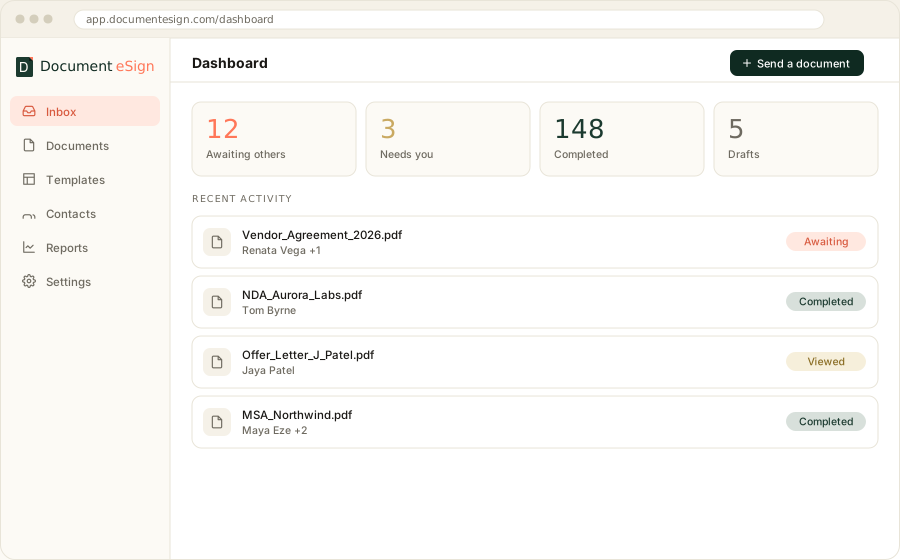
Document eSign is a multi-tenant electronic signature platform built by Angular Minds. It handles the full agreement lifecycle: upload a document, place fields for several signers, send it, verify identity, collect signatures on any device, seal the finished PDF cryptographically, and produce a certificate of completion that stands up as evidence.
We built it because the category had a pricing problem rather than a technology problem. Small teams were paying enterprise rates for a feature set they used a fraction of, and the free tiers on offer were too thin to run a business on. Our answer was a permanent free plan at 30 documents a month and a flat-rate tier that does not charge per seat.
The engineering value for our clients is the second-order effect. Having built the sealing pipeline and the evidence log ourselves, we can embed signing into a client platform without treating any of it as a black box.
The challenge
What made this harder than it looks
E-signature looks like a CRUD app with a canvas on top. It is not. Five problems consumed most of the engineering time, and none of them are the part users see.
Field coordinates that survive real documents
A signature box placed on page three of a Letter-size PDF has to land in the same visual spot when the same template arrives as A4, rotated 90 degrees, or scanned at an angle. Getting this wrong is not cosmetic; a signature in the margin invites a dispute.
Signing sessions on unreliable devices
Signers open links on old Android browsers, on trains, on phones that suspend the tab mid-signature. The session has to expire safely, resist replay from a forwarded email, and resume without losing what was already filled in.
Sealing that actually verifies
Drawing a signature image onto a PDF is trivial and worth very little. A PAdES signature with a timestamp from a trusted authority, which any standard reader will validate and flag if the file changes, is a different job entirely.
Email that arrives
The product is worthless if the signing invitation lands in spam. Deliverability turned into its own workstream: authentication records, bounce and complaint handling, reputation monitoring, and letting customers send from their own domain.
Multi-tenancy without leaks
Workspaces, teams, roles and document visibility rules, enforced at the query layer rather than the UI. One tenant seeing another tenant's contract is the failure that ends a product.
Our approach
Four decisions that shaped the build
Early architecture choices are the ones you live with. These four were made in the first month and we have not regretted any of them, though the first one cost us time before it paid off.
One monorepo, several deployable products
The customer app, the marketing site, the API, the workers, the mobile app and two internal panels share one repository and one set of packages. Shared code gets edited once. Each product still deploys on its own without restarting the others.
Evidence as a first-class model, not a log file
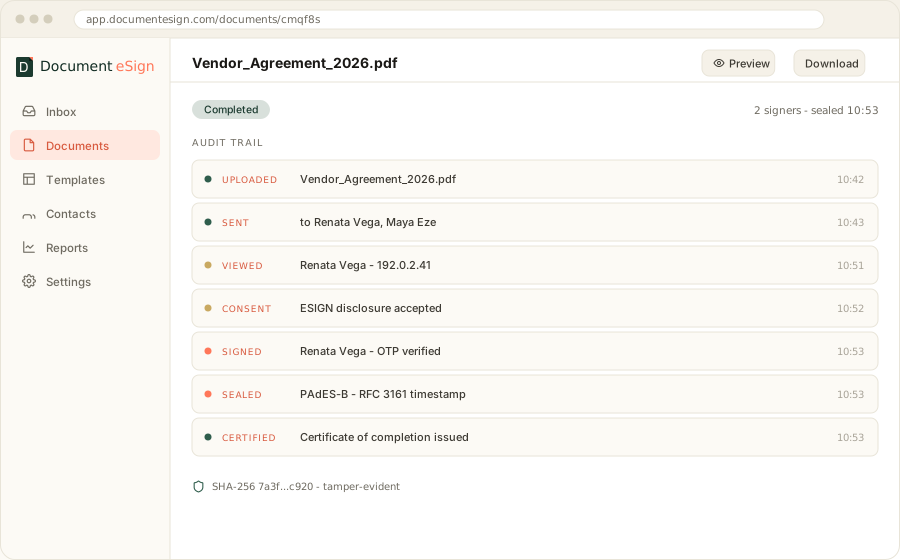
Every view, consent, decline and signature is a typed, append-only event tied to the document. The certificate of completion is a render of that data rather than a report assembled after the fact, so it cannot drift from what happened.
Sealing in a worker, never in the request
Applying a PAdES signature means reaching a timestamp authority over the network. Doing that inside an HTTP request ties the completion of a legal document to somebody else's uptime. It runs as a retryable background job instead.
A free tier generous enough to actually use
Thirty documents a month, templates included, no card. A three-document trial teaches nobody anything. This was a commercial decision with architectural consequences, since the free tier has to carry real load.
The solution
What we shipped
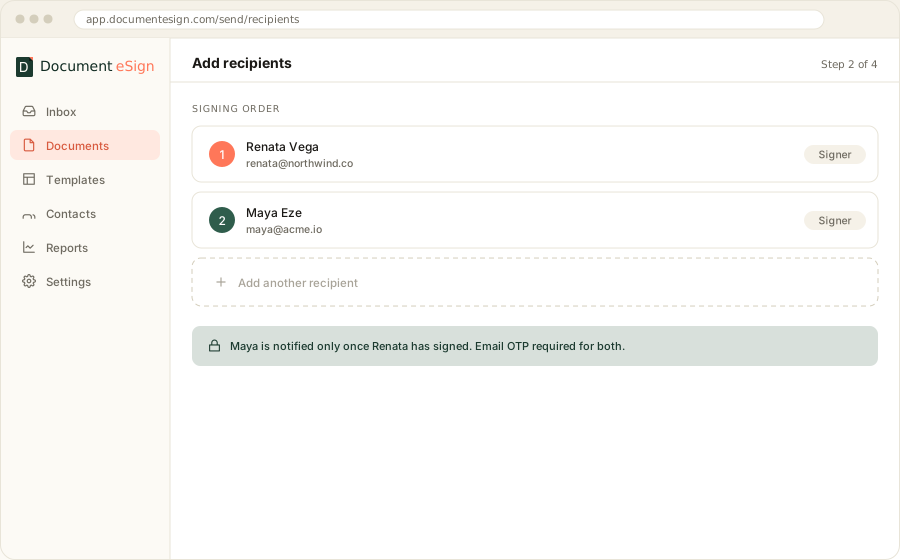
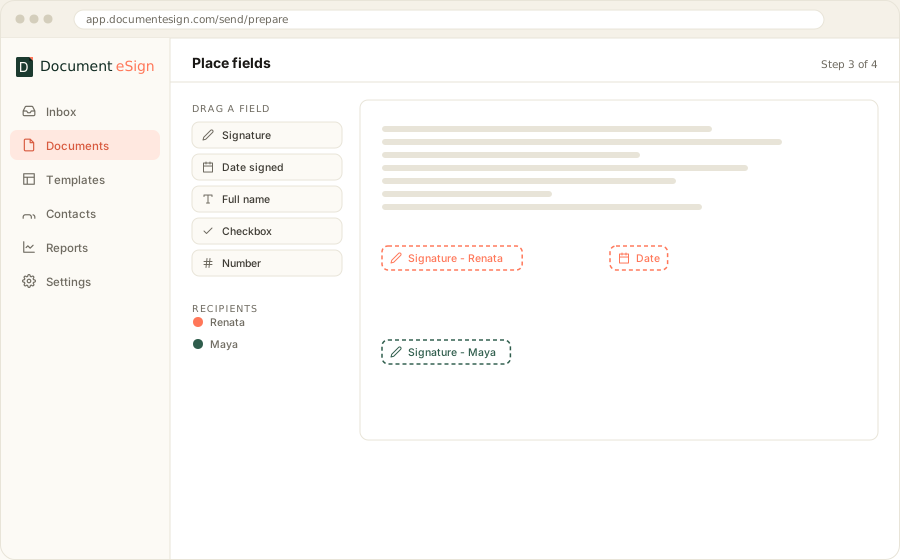
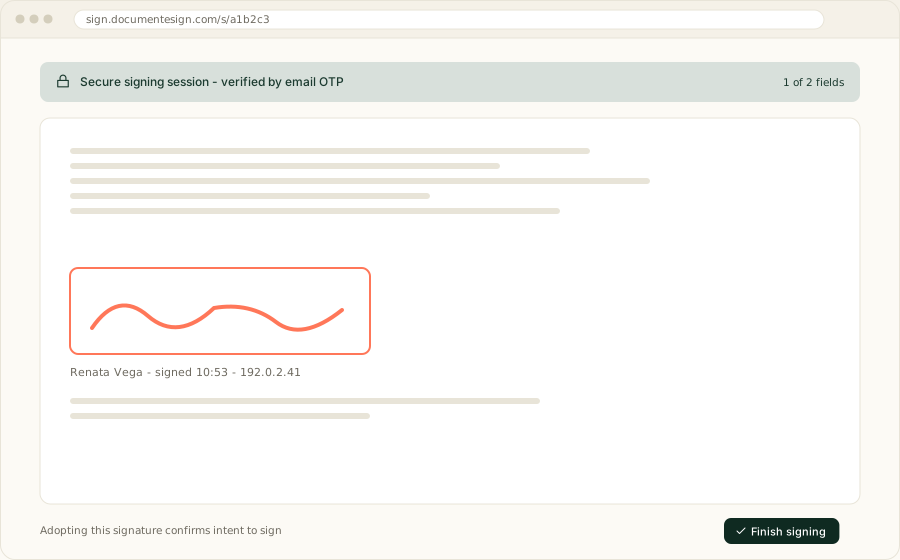
The sending flow is five steps and was rebuilt twice before it felt right. Everything else in the product exists to make one of those five steps faster the next time.
- 1
Upload or pick a template
PDF or DOCX in, normalised and flattened.
- 2
Add recipients
Signing order, roles, and per-signer verification.
- 3
Place fields
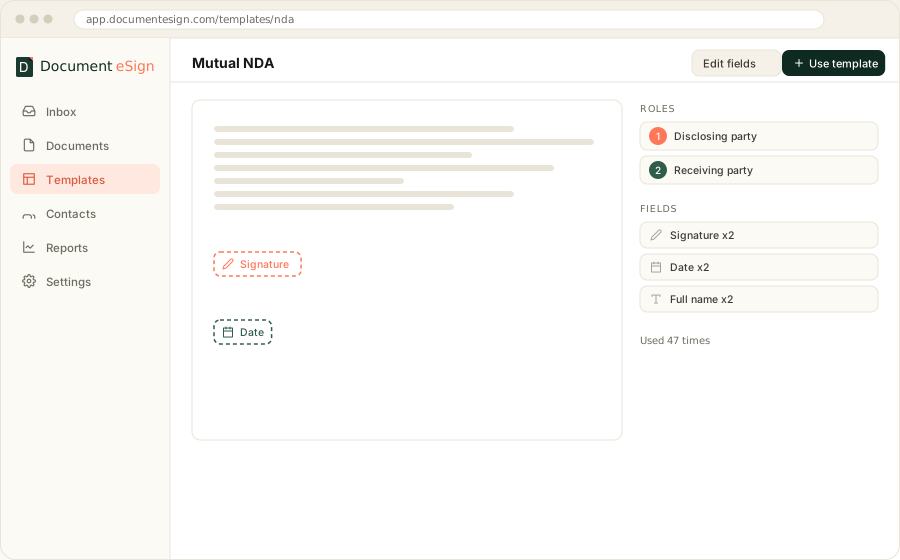
Colour-coded per recipient, snapped to the page.
- 4
Review and send
Message, reminders, expiry, then out the door.
- 5
Sign and seal
Signed on any device, sealed, certificate issued.
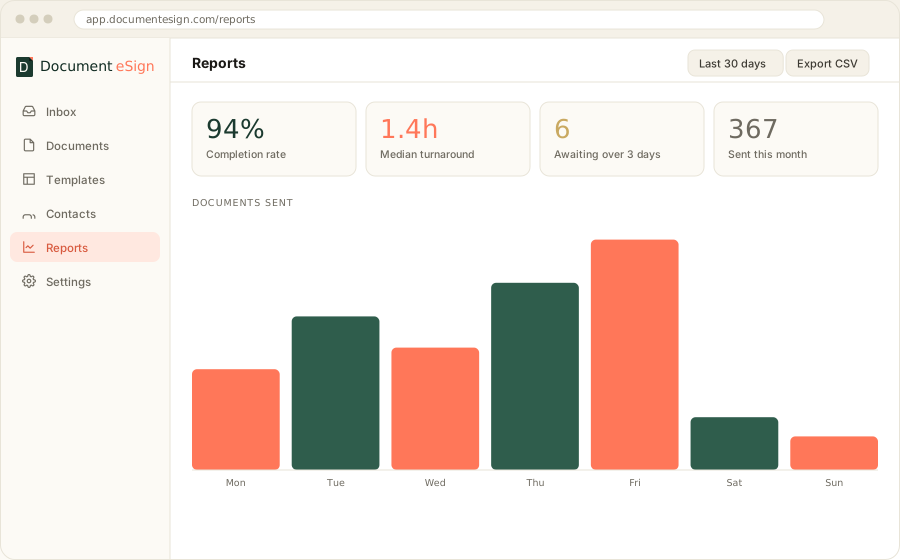
The shipped flow, recreated. Brand tokens and sample data, not a screen recording.
Deep dive
How a document gets sealed
Sealing is where an e-signature product either earns trust or quietly fails to. The sequence below runs as a background job once the last signer finishes, and every stage is retryable without producing a half-signed file.
- 01
Flatten the completed fields
Signature marks, dates and text are burned into the page content so nothing remains an editable form object.
- 02
Append the certificate of completion
The evidence log is rendered as extra pages inside the same file, so the proof travels with the document rather than beside it.
- 03
Compute the document hash
SHA-256 across the byte range being signed, which is what any future tamper check compares against.
- 04
Request a trusted timestamp
An RFC 3161 timestamp authority countersigns the hash, proving the file existed in this exact state at that moment. This is the step that needs retries.
- 05
Embed the PAdES signature
Signature and timestamp are written into the PDF structure. Standard readers now validate it and will report the document as modified if a single byte changes.
What we got wrong first time
Our first version appended the certificate pages after computing the hash. The seal validated on our machines and reported the file as modified in a common desktop reader, because the byte range no longer matched. Order of operations is not a detail here.
Technologies and tools
The stack
Chosen for boring reliability over novelty. The one place we accepted complexity was the monorepo, because sharing the database schema and PDF helpers across six deployables was worth the tooling cost.
Customer app
React · Vite · TypeScript · Tailwind · shadcn/ui
Marketing site
Next.js · App Router · MDX · ISR
API
Fastify · Prisma · PostgreSQL · Zod
Workers
BullMQ · Redis · scheduled crons
Documents
pdf-lib · PAdES · RFC 3161 TSA · SHA-256
Infrastructure
AWS EC2 · S3 · SES · Stripe · pm2 · nginx
Outcomes and impact
Where it stands
Document eSign is live, paying its own way, and shipping regularly. More useful to prospective clients is what the build produced beyond the product itself.
- 6
- deployable applications from one shared codebase
- 2
- native mobile apps, iOS and Android
- 30/mo
- documents on the permanent free plan
- PAdES
- sealing with trusted timestamps on every completed file
Three capabilities came out of this that we now bring to client work directly. Embedded signing, because we have built the session model. Evidence architecture, because we have had to defend a certificate's contents. And email deliverability at volume, which is a surprisingly common blocker on platforms that send transactional mail.
The product also runs as a live reference during client scoping. When a prospect asks what an audit trail should contain, we open a real one rather than describing it.
Why this project matters
What it proves about how we work
We carry the consequences of our own architecture
Nobody hands this codebase off at the end of a statement of work. When a decision made in month two creates a problem in month twenty, we are the ones fixing it. That changes how the decisions get made.
Regulated-adjacent work is normal for us
Retention rules, consent capture, tamper evidence and access controls are the daily substance of this product, not a compliance appendix bolted on before launch.
We ship and keep shipping
Separate development and production environments, per-application deployments, and a release cadence that has not required a rewrite. The unglamorous part of product engineering, and the part that decides whether software survives.
Looking ahead
What comes next
Work in progress covers a public API for programmatic sending, a wider template library for common agreements, and deeper white-label controls so partners can present the whole signing experience as their own.
If any of that overlaps with something you are building, the e-signature API development page covers how we take this into client platforms, and documentesign.com is the product itself if you would rather just use it.
Have a product that needs building properly
We build software we would be willing to operate ourselves, because in this case we do.